



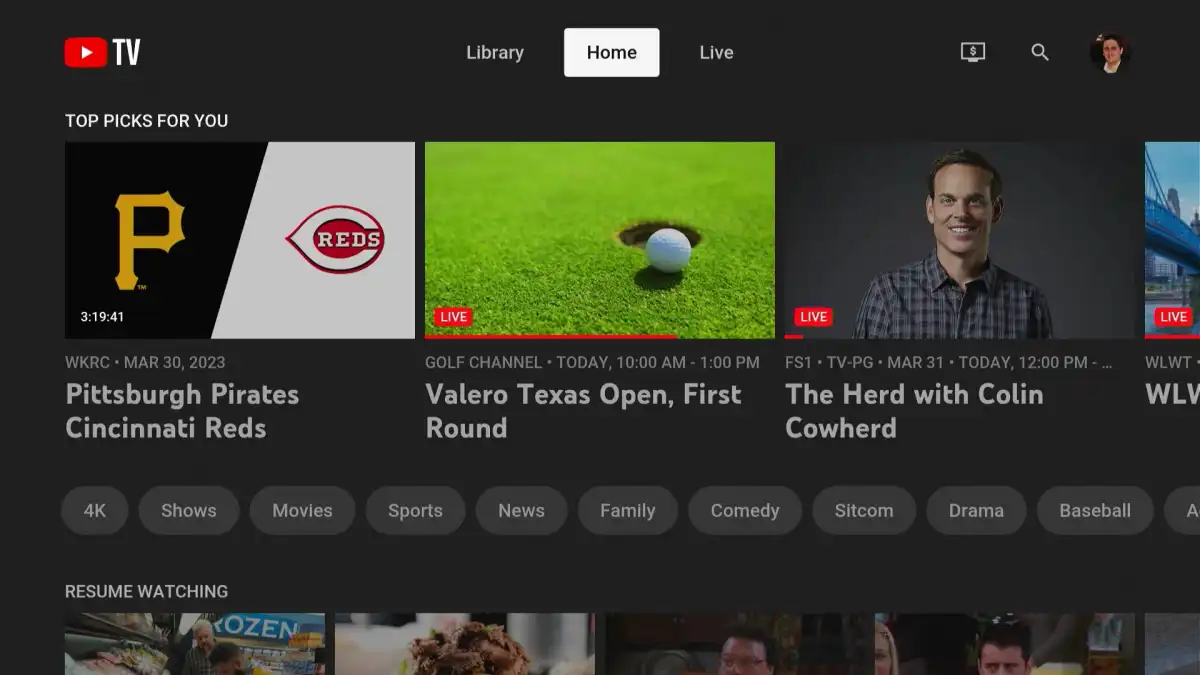
If you’ve opened YouTube TV and found a dead, silent home screen where a live video should be playing, you’re not imagining it. I’ve been chasing this for a while, and it’s one of the more annoying tech mysteries in my house.
The setup
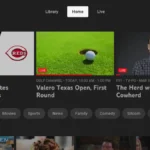
YouTube TV has an “autoplay on start” option. You find it under your profile icon and settings, and once it’s on, the app plays a top recommendation in the background at launch. The video is often the last channel you watched, though not always, and there’s no way to pick a specific channel. michaelsaves
On my Nvidia Shield, Apple TV, LG TV (webOS), PS4, PS5, and Xbox, it works every time. On several of my Roku devices, the toggle exists, I can switch it on, and nothing happens. It’s not one flaky box either. It’s multiple Rokus, which rules out a single bad unit.
What I already tried
I did what everyone does: I searched Google and asked AI assistants. The advice was the usual list of restarting the device, power-cycling at the wall, updating the system software, and uninstalling and reinstalling the app. None of it worked, and reinstalling is the one I trust least. Roku community regulars point out that a proper reinstall means removing the app, restarting the Roku, and only then reinstalling. Otherwise leftover settings and cached data from the old install stay behind. roku
I’m not the only one
Digging through the Roku community forums, I found at least one other person describing almost exactly this. They reported that autoplay and the channel info bar at the top stopped working on one ONN Roku TV, while their Hisense Roku TV and Roku Streambar kept working fine. Removing and reloading the app, restarting it, and power-cycling didn’t help, and the update they ran didn’t either. Roku’s response was a moderator asking for a video or photo of the behavior so the team could investigate. I didn’t find a public resolution in that thread. rokuroku
Most other results were people asking Roku to add a general “auto-launch this app when the TV turns on” feature. That’s a different problem from this one. My issue isn’t that the app doesn’t launch, it’s that the app launches and skips its own autoplay.
What this probably is (and what I can’t prove)
I haven’t found an official explanation from Google or Roku, so everything below is educated guessing.
Per-device feature gating. The YouTube TV app can turn features on or off for different devices, app builds, or account groups on Google’s servers. A toggle that appears in the settings menu but does nothing is what you’d expect if the UI shipped everywhere while the playback behavior was only enabled for some configurations.
Hardware or OS tiers. Roku sells a wide range of hardware, from bare-bones sticks to high-end players, and Roku OS versions vary between them. Running a video in the background while the app’s home screen loads is heavier than it sounds. A platform-specific build might skip it on lower-spec or older hardware without saying so.
A regression on Roku’s build. The forum poster said theirs worked in September and stopped in October, which points to an app or OS update as the trigger.
None of this is confirmed. If it’s server-side or app-side, there’s nothing you can fix from your couch, which would explain why every troubleshooting step I tried did nothing.
If you’re seeing this too
The more people compare notes, the faster a pattern shows up. Write down these details for each Roku that works and each that doesn’t:
- The exact model name and number (Settings > System > About)
- The Roku OS version
- The YouTube TV app version (highlight the app and press the * button on the remote)
- Whether the device is a streaming player, a TV, or a soundbar
If the working and non-working units split cleanly along one of those lines, that’s your answer. Then report it to Roku, with a short screen recording, since that’s the exact thing their community team asks for.
Bottom line
If YouTube TV autoplay doesn’t work on only some of your Roku devices while it works on everything else you own, it’s very likely not your network, your account, or a bad install. It’s a platform-specific quirk that Roku and Google haven’t publicly explained. I’ll update this post if I find a fix.
[Add your Roku models and OS versions here, plus which ones work and which don’t.]