
It used to work perfectly. That’s the part I can’t get past.
I’d turn on the TCL Roku TV, open YouTube TV, and a live channel would already be playing. Usually the last one I’d been watching. No hunting around on the home screen, no extra clicks. It just started, the way a TV is supposed to start.
Then it stopped. The app opens to a dead, silent home screen. The “Autoplay on start” toggle is still sitting there, still set to on, and nothing happens. I have tried a lot of things. None of them brought it back.
Two months ago I wrote about this as a mystery: the same setting worked every time on my Nvidia Shield, Apple TV, LG, PS4, PS5, and Xbox, and did nothing on several of my Rokus. I didn’t have an official explanation then. I do now, and it’s more annoying than a bug. Google didn’t break autoplay on this TV. They took it away, quietly, from hardware that used to have it.
I already ran the usual list. Twice.
I restarted the Roku. I power-cycled it at the wall. I checked for system and app updates. I turned Autoplay on start off and back on. I removed the YouTube TV app, restarted the Roku, and only then reinstalled it, which is the version of a reinstall that actually clears leftover settings. None of it mattered. The toggle stayed on. The home screen stayed quiet.
There is one gotcha that’s worth knowing about, because it is real, and because it is not a fix for this. A reply on the YouTube TV community forum points out that Autoplay on start only fires when you actually launch the app from a closed state. A lot of the time, turning the TV “off” just puts the Roku and the app to sleep. When you wake it up, you are resuming, not starting, so autoplay never runs. On a Roku, fully closing the app means highlighting YouTube TV on the home screen, pressing the star button, and choosing Close, then opening it again.
Try that once if you haven’t. If Google has already disabled the feature on your hardware, closing the app just gets you to the same silent home screen a little more honestly.
I’m not the only one, and it used to work for them too
This is not a one-off on my set. In October 2025, people were already in the YouTube TV forums saying autoplay was on and still didn’t work. One thread is literally titled “My autoplay is not working. How do i fix this?”
The same week, a Reddit thread described it the way I would have: YouTube TV had worked for years, and then, “out of nowhere, the autoplay function just stopped working.” Opening the app just went to the home screen. Nothing started. The setting was on. Restarts, a power cycle, even talking to Google support didn’t bring it back. (Reddit)
That pattern has kept showing up. People with multiple Rokus say it still works on one box and not on another. People say it used to autoplay on a given TV and then didn’t. In July 2026, a commenter on r/youtubetv put it plainly: YouTube TV “has intentionally removed certain features such as autoplay for older Roku devices.” (Reddit)
It wasn’t a bug. Google gated it
Here’s the explanation I didn’t have in September.
On that October 2025 “autoplay is not working” thread, a community product expert didn’t walk the person through another reset. They said a change had been made “recently” for older and less powerful devices, “mainly those with less than 512MB RAM,” and that “background play is no longer supported.” Memory, they pointed out, is not storage, and you cannot add more. The advice was to buy a newer standalone streaming device, “because your device has 512MB RAM or less” and “future features might not be included on your device.”
Google’s own help page is vaguer, but it points the same direction. Buried under the supported-device list is this line: “Select devices with 512mb or less of memory may have a slightly different experience and some features may not be available.” (YouTube TV Help)
I want to be precise, because these are not the same sentence. The expert replies usually talk about background play: the live video that keeps going behind the guide. What a lot of us noticed first is Autoplay on start: you open the app, and something is playing. Those look like two faces of the same cutoff, and they started being reported together. What I have not found is a Google page that says, on this date, we removed Autoplay on start from these TVs.
The closest public timestamps I can find are early October 2025, when those expert replies started going up, and Reddit posts from that same week from people saying the feature had died about a month earlier. That would put the first wave around September 2025. In June 2026, 9to5Google wrote about another wave of the same restrictions on Rokus, with reports starting in late May, including a Live guide that only shows 24 hours ahead. Google has not, as far as I can tell, published a dated announcement of its own.
I can’t tell you, from here, exactly how much RAM is in my TCL. Google doesn’t publish a model-by-model list. Plenty of Roku TVs shipped with 512MB or less, and if that’s the line, a television that used to autoplay is now on the wrong side of it. No setting I can flip will put it back.
The “fix” is to buy another box
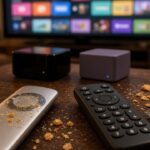
The same expert replies come with a shopping list. If you want the feature back, get something newer: a Roku Streaming Stick 4K if you want to stay in the Roku world, a Fire TV Stick 4K Max, or a Google TV Streamer. They also mention a current Roku Ultra, an Apple TV 4K, and the Onn 4K Plus or Pro.
That would work. I already know it would work, because autoplay still works on the other boxes in this house.
Here’s what I can’t get past. The TCL still plays YouTube TV. The picture is fine. The app opens. The hardware did this exact thing, perfectly, until Google decided it shouldn’t. They didn’t put a notice on the screen. They left the toggle in the menu and turned the feature off.
I’ve written before about Google nagging me to replace hardware that still works. This is the same move, just quieter. A built-in Roku TV is supposed to be the box. The consolation prize is that I should go buy a stick, plug it into an HDMI port, and leave the smart TV I already paid for to sit there looking like a TV.
If that’s the line, say so on the help page, in the app, and on the toggle that still pretends to do something. Don’t make people restart, reinstall, and crawl through forums for a year only to find out the setting is decorative now.
Bottom line
If YouTube TV used to autoplay on your Roku TV and then stopped, you probably didn’t break a setting. Google appears to have pulled autoplay and background play from lower-memory devices, many of them Roku TVs, and the toggle can remain in the menu anyway. Fully closing the app with the star button is worth one try. After that, the only fix they will offer you is new hardware.
I’ll update this if Google ever bothers to document the cutoff, or if a software update gives the feature back to the TVs that already had it.